
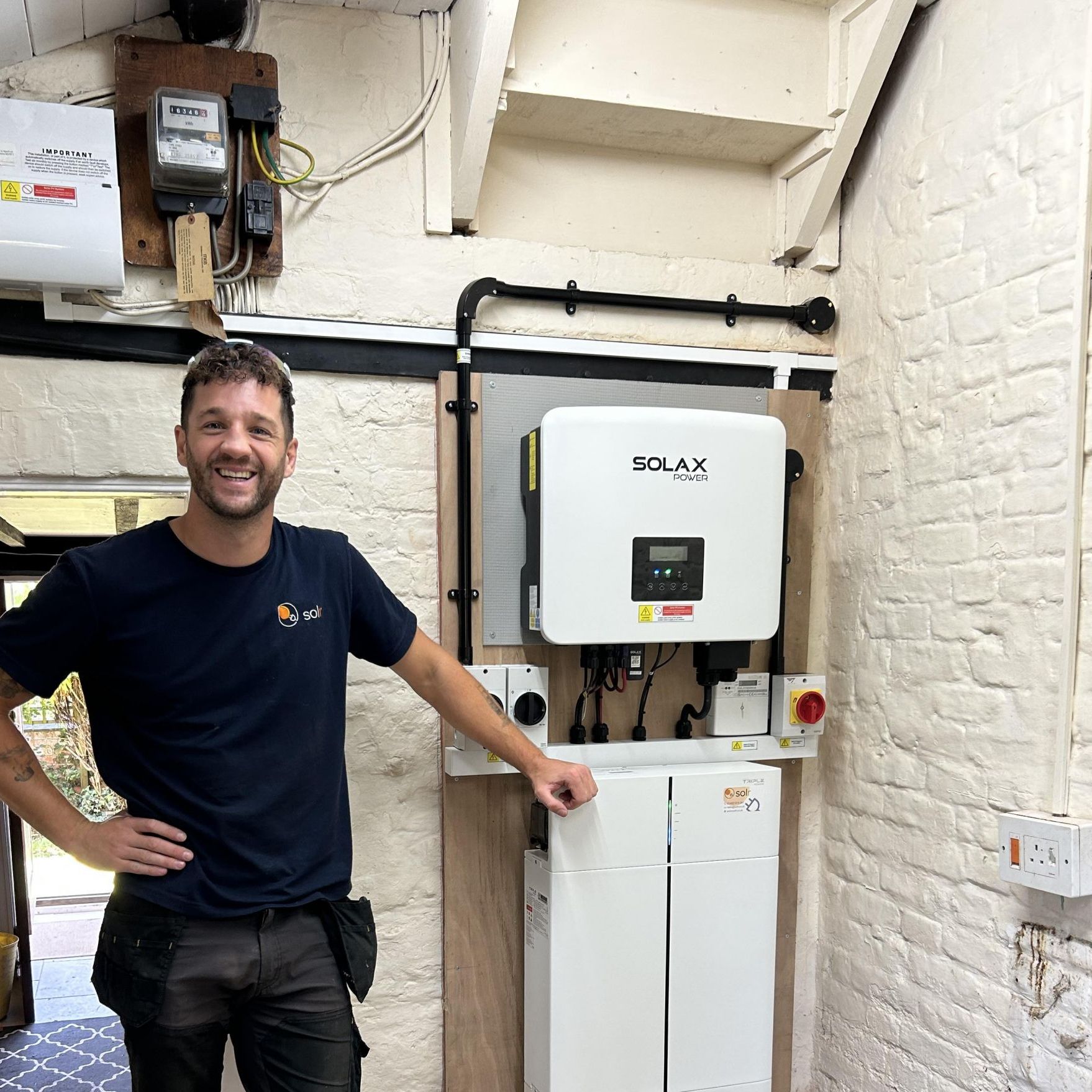
To reconnect a Solax Wifi Inverter to wifi (for example, when you have a new router or have changed your password), follow the steps below. You will need SolaxCloud application, plus you need to be close to the inverter itself.
Text Instructions:-
- Open the SolaXCloud App, and select “Device”
- Click the Wifi Dongle from the list of devices
- Select “Reconfigure”
- Select the new Wifi network – this needs to be a 2.4GHz network. For most modern routers, your Wifi will be a shared 2.4/5GHz network. For best performance we would suggest having a dedicated 2.4GHz network. For more information on this, you would need to check your routers manual. Select “Next”
- Please remain close to the inverter – it will scan for the inverter and apply the new Wifi Settings
Images Step-By-Step
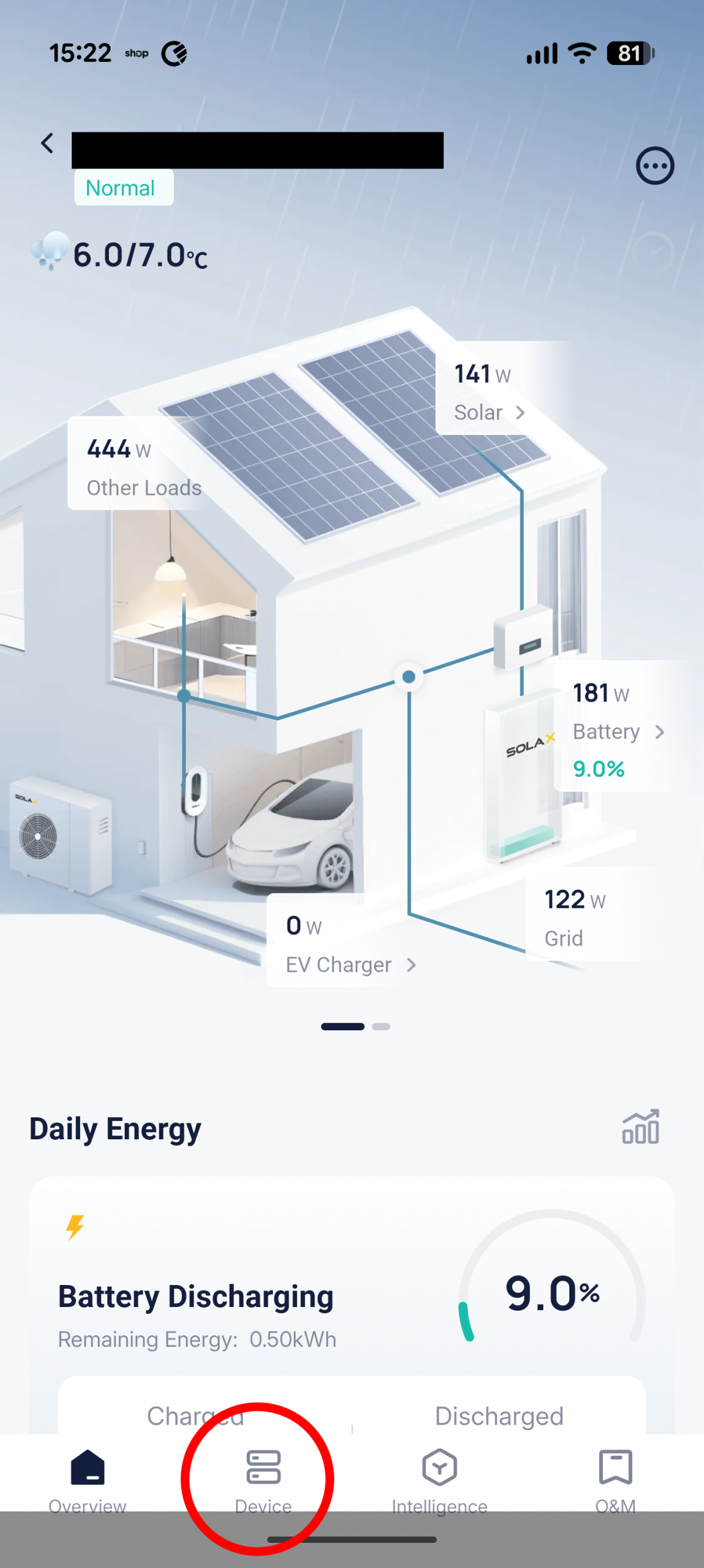
Select Devices from main screen.
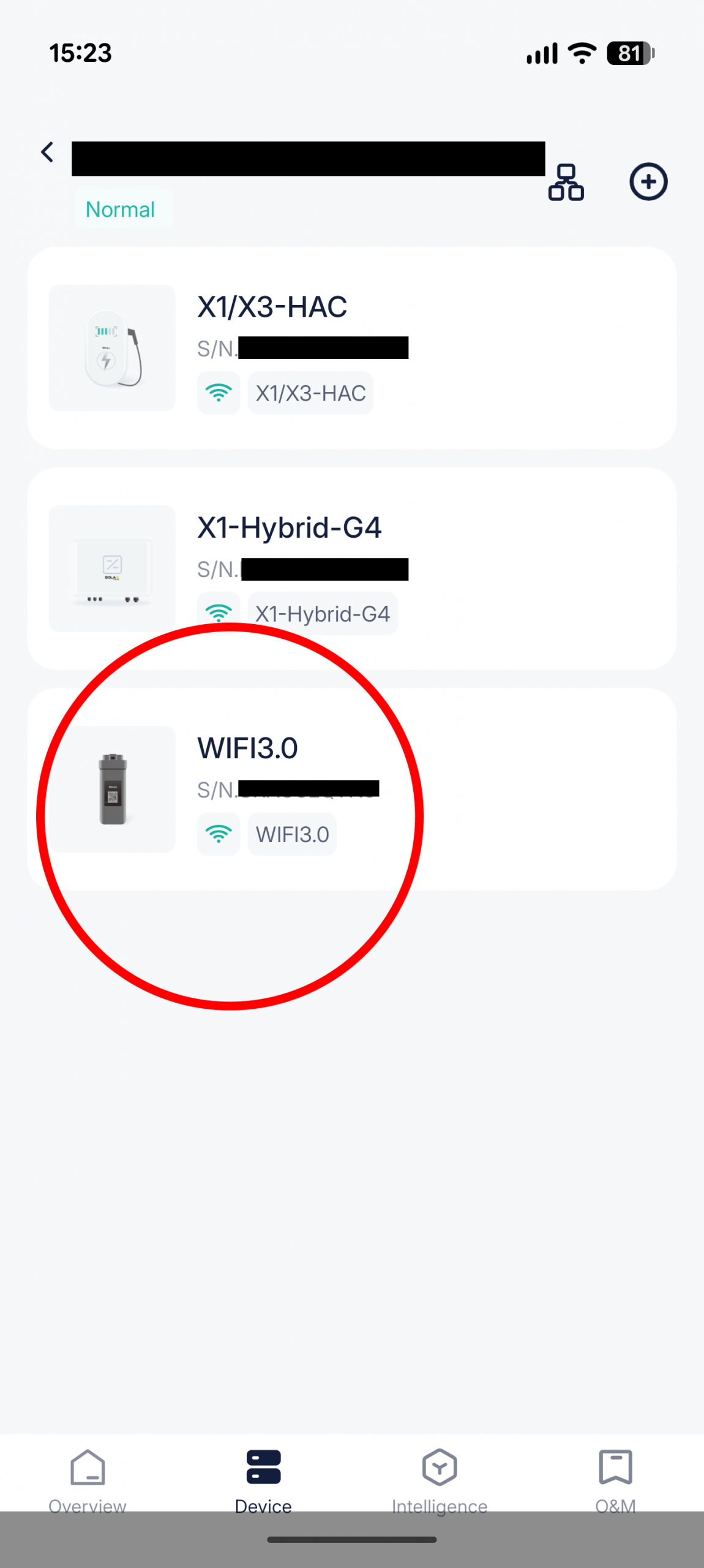
Select the Wifi Dongle
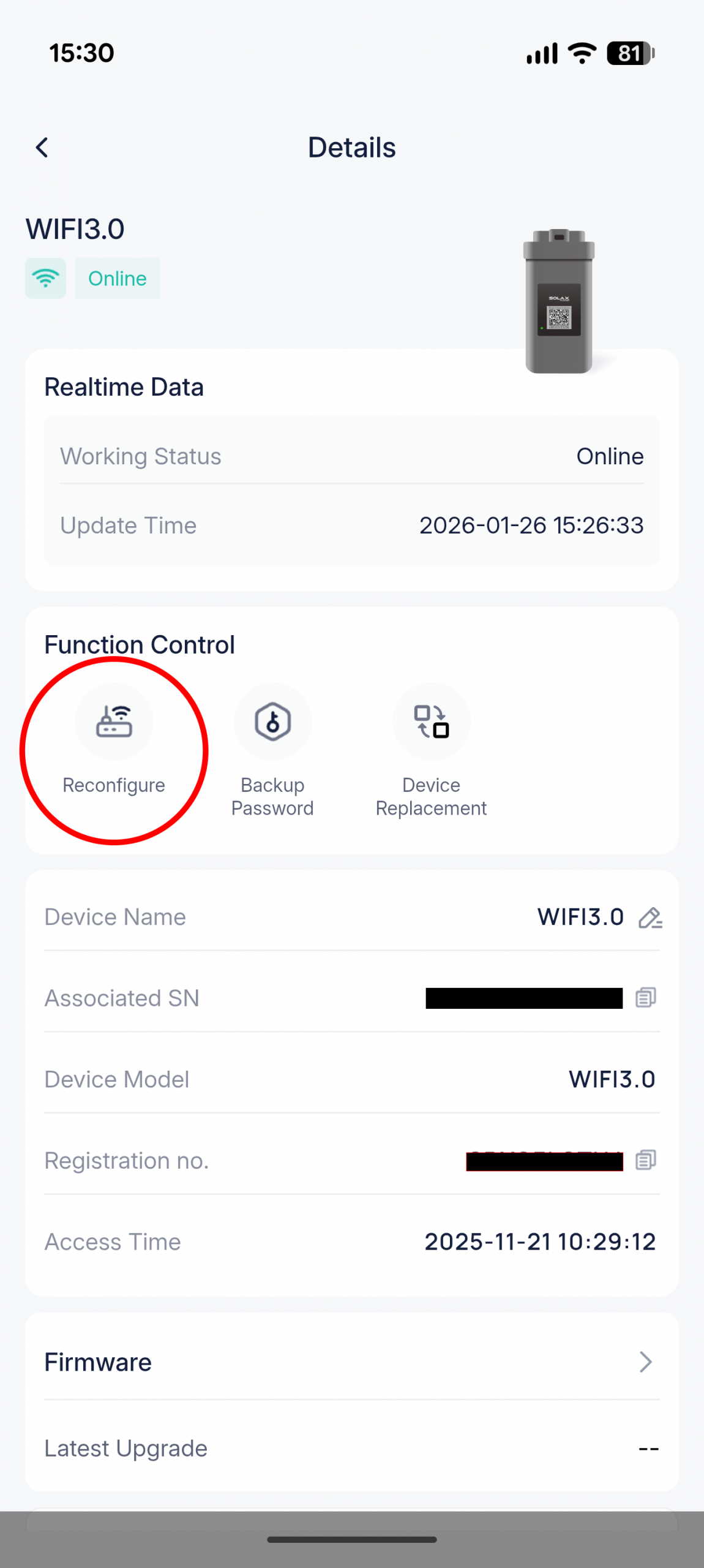
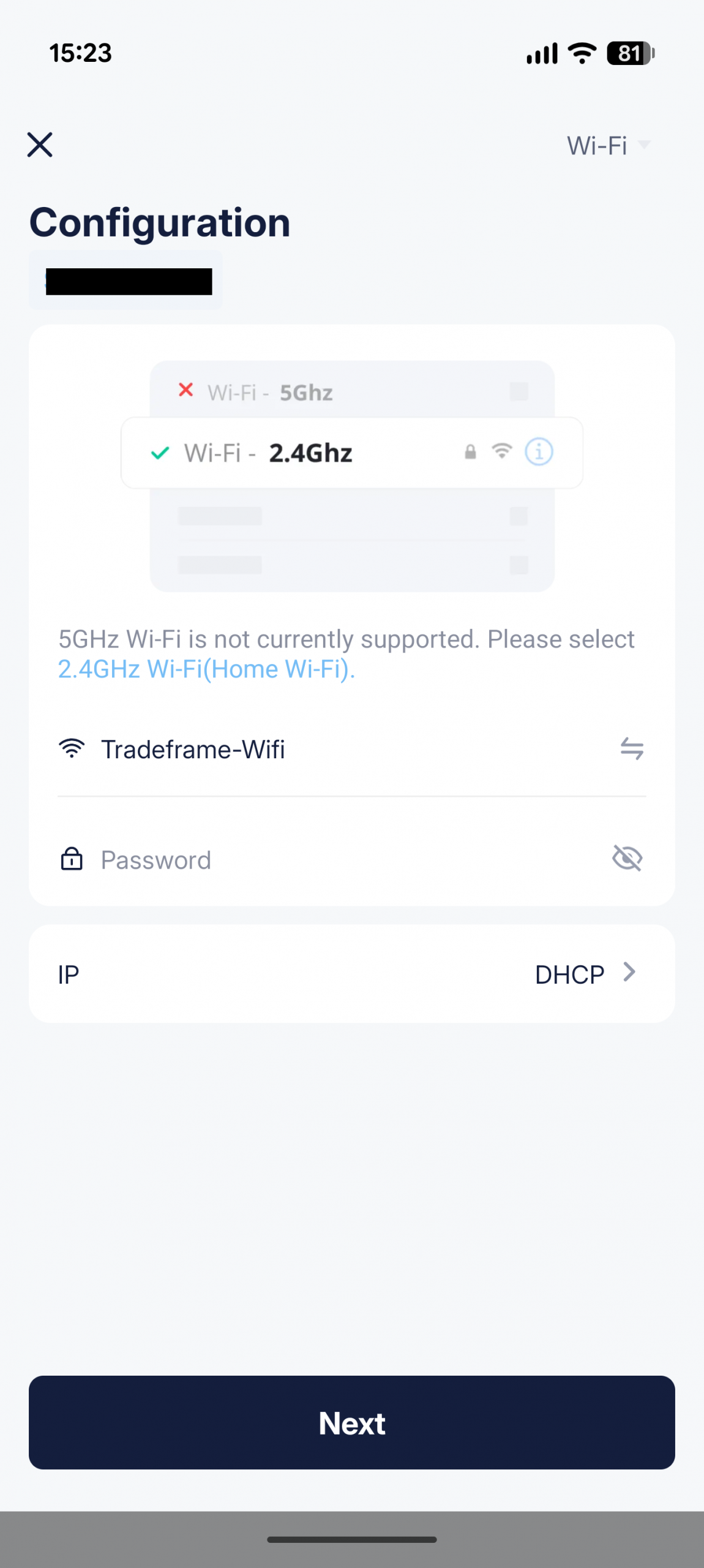
Enter New Wifi Details
Thats all the steps needed to reconfigure the WiFi on a SolaX inverter. If you’re still having issues, please feel free to Contact us and we can assist.
